
Features
One match record from first serve to final report.
VolleyTrack connects setup, live scoring, rotations, player actions, correction, reports, and spectator sharing. Use only the pieces your match needs.
Prepare
Set up in the way your day requires.
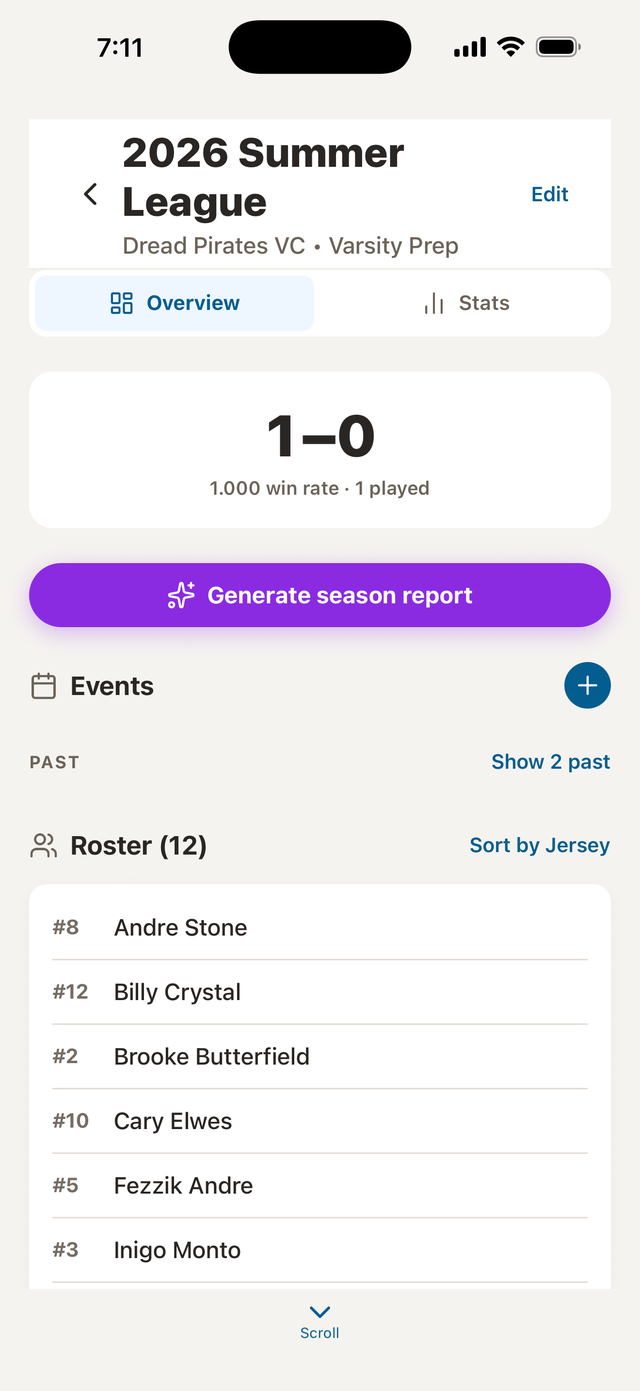
- Start a Quick Match or schedule one inside a season and event.
- Import an existing team or paste a roster.
- Choose Just Score or detailed tracking.
- Set match format, point targets, win-by rules, caps, timeouts, and substitutions.
- Build a starting lineup and choose the first server.
Run the match
Keep the current state obvious.
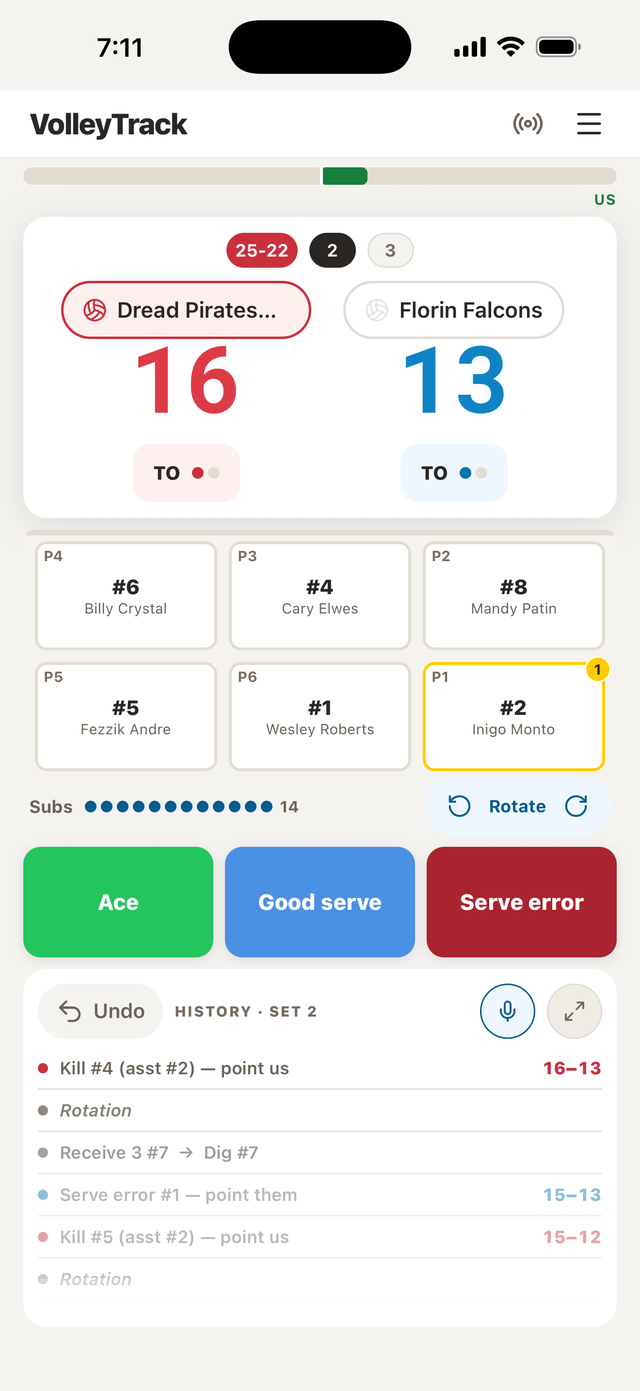
- Score rallies and sets.
- See the server and rotation.
- Track player actions and assists.
- Record timeouts, substitutions, and libero changes.
- Carry a lineup into the next set.
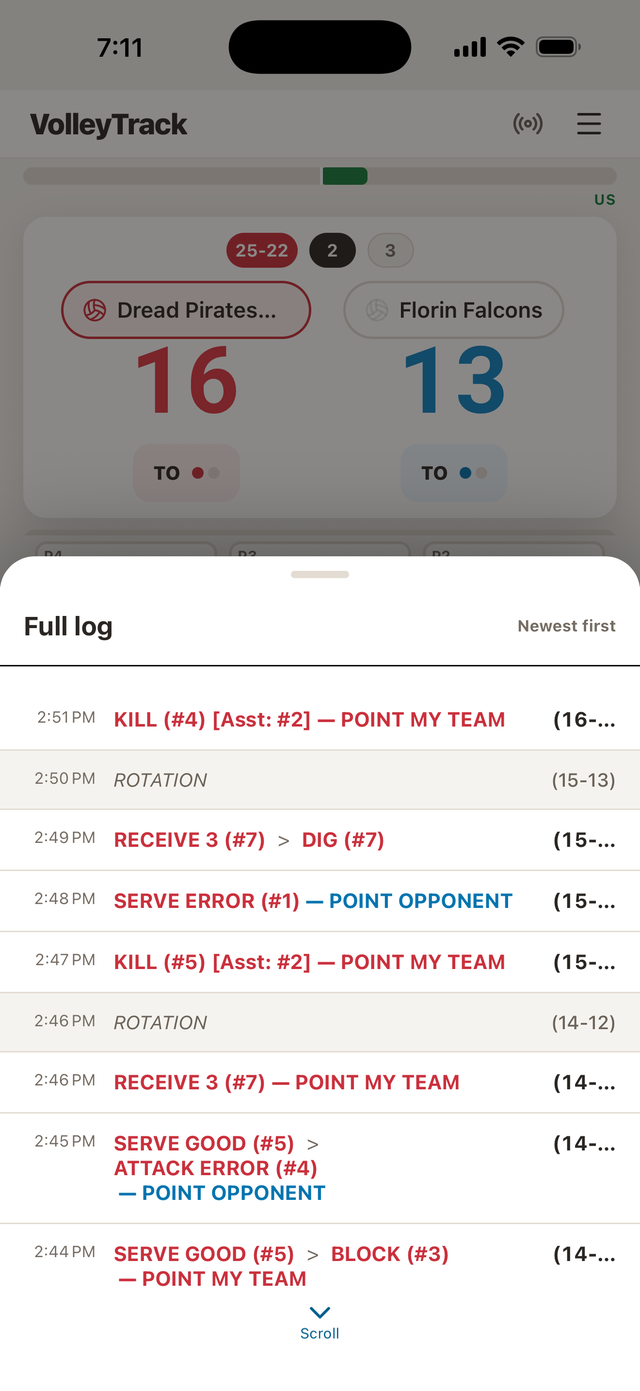
- Undo or correct mistakes and review the full activity log.
Voice stat tracking
Describe the rally. Review the record.
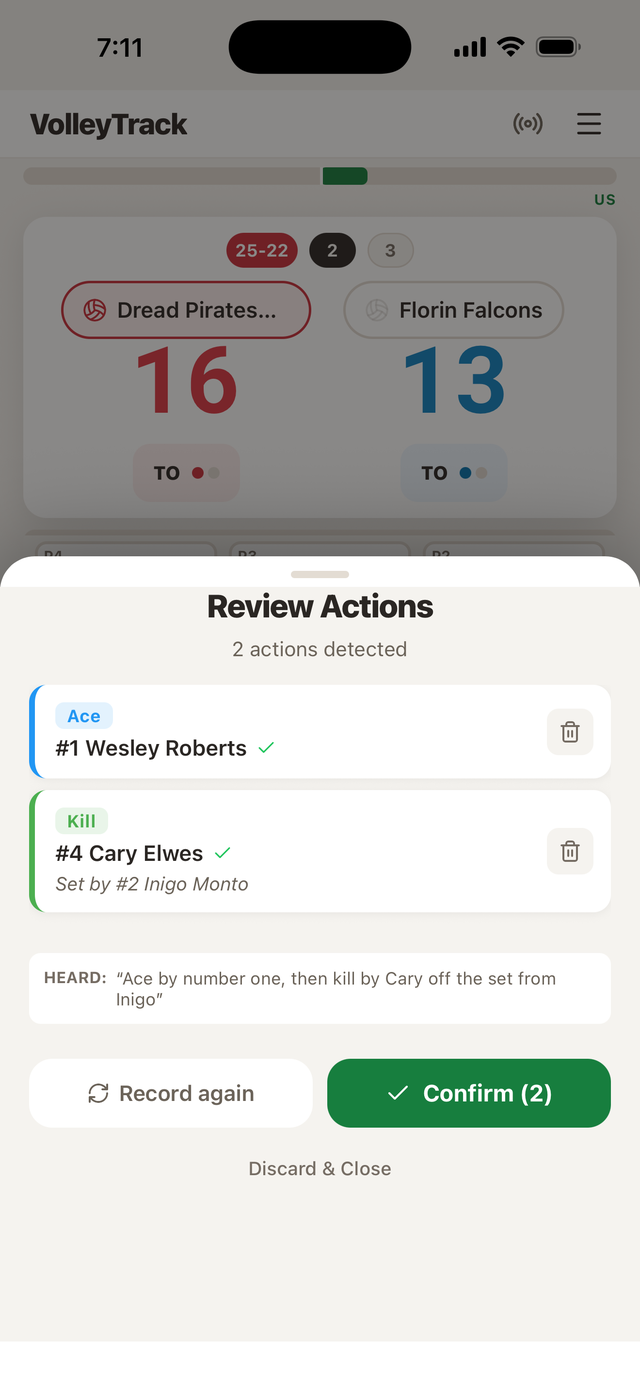
Speak a short rally description within the recording window. VolleyTrack shows the transcript and suggested match actions—correct or remove anything that does not match the rally, then apply only what is right.
- Open voice entry during a detailed match.
- Speak one short rally description.
- Review the transcript and suggested actions.
- Correct or remove anything that does not match.
- Apply the reviewed actions to the match.
Check every suggested action before applying it to the match. On supported devices, voice can be read right on your phone; otherwise it needs a stable connection. Gym noise and phrasing can affect results.
Learn from it
Turn live actions into a record you can use.
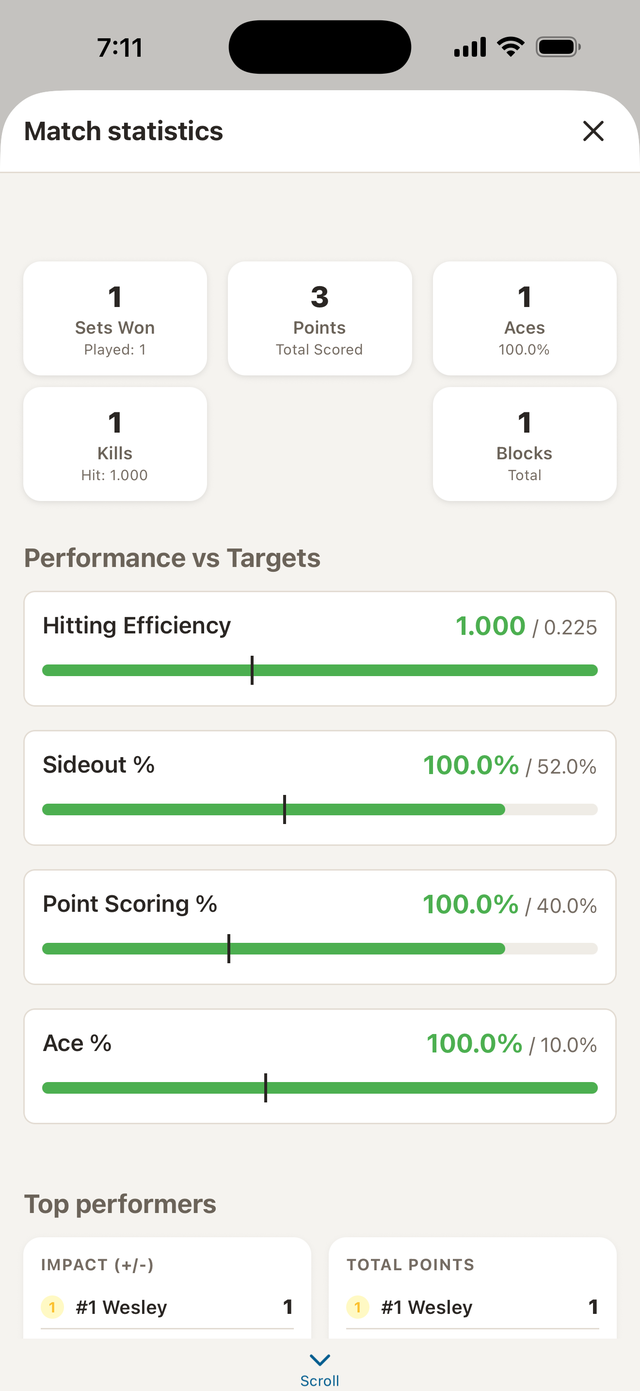
- Review team and player statistics.
- Compare serving, attacking, receiving, side-out, and point-scoring measures.
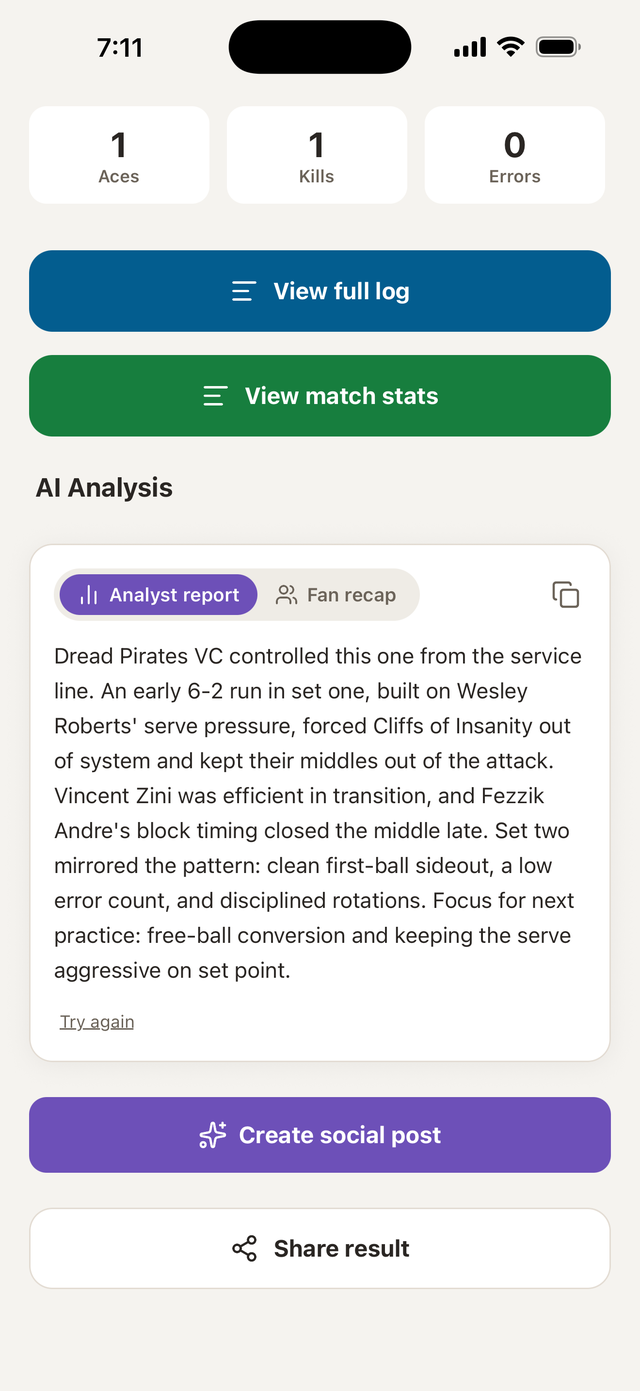
- Generate match, tournament/event, and season reports.
- Create AI-assisted analysis and shareable match text.
- Export within the limits of your plan.
Comparison targets shown in the app use a U16 Club reference baseline—a general benchmark, not a personalized standard. AI-assisted content can miss context; review it before using it for coaching or sharing.
Help: stats and calculation guide →Bring people in
Share a live view without sharing match control.
- Create a four-character match code and QR code.
- Show score, sets, server, rotation, activity, and match summaries.
- Let fans cheer, react, chat in Fan Zone, and send a score-check or emergency alert.
- Keep scorer corrections and official app controls on the scorer's device.
Spectator View is a live score and match-activity view, not a video stream. It needs an internet connection on both sides. Fans can join from VolleyTrack or VolleyTally, the lighter scoreboard app from HarpElle.
Explore Spectator View →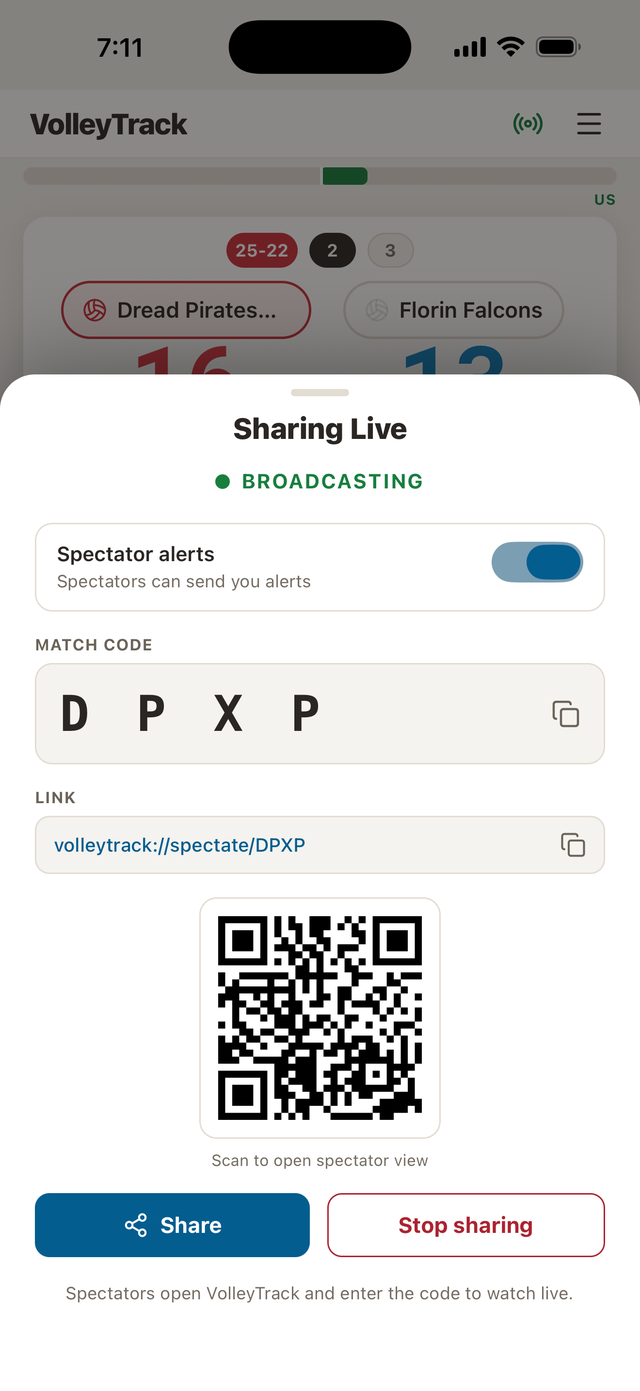
Keep your data available
Use it locally. Add sync when you want it.
Works locally
- Core scoring does not require an account.
- Match data persists on the device.
- Match setup and reviewing device-local data.
Connection needed
- Sign in to sync across devices and host Spectator View.
- Choose how local and cloud data are combined.
- Voice interpretation, AI-assisted content, purchases, and ads.
Use the recovery flow if expected data is missing.